Skip to content
Free US shipping over $99
DealComputers

switch lab

keyboard switches(18)

The switch is the part of a keyboard you actually touch. Choose the feel — linear, tactile, clicky, silent or magnetic — the weight and the sound, then buy exactly as many as your board needs: packs of 10 to 110, from $5.

Switches
1613 MX · 3 magnetic
Pack prices
$5–$55by quantity
Pack sizes
10–110switches a pack
Per switch
$0.35from, in full packs

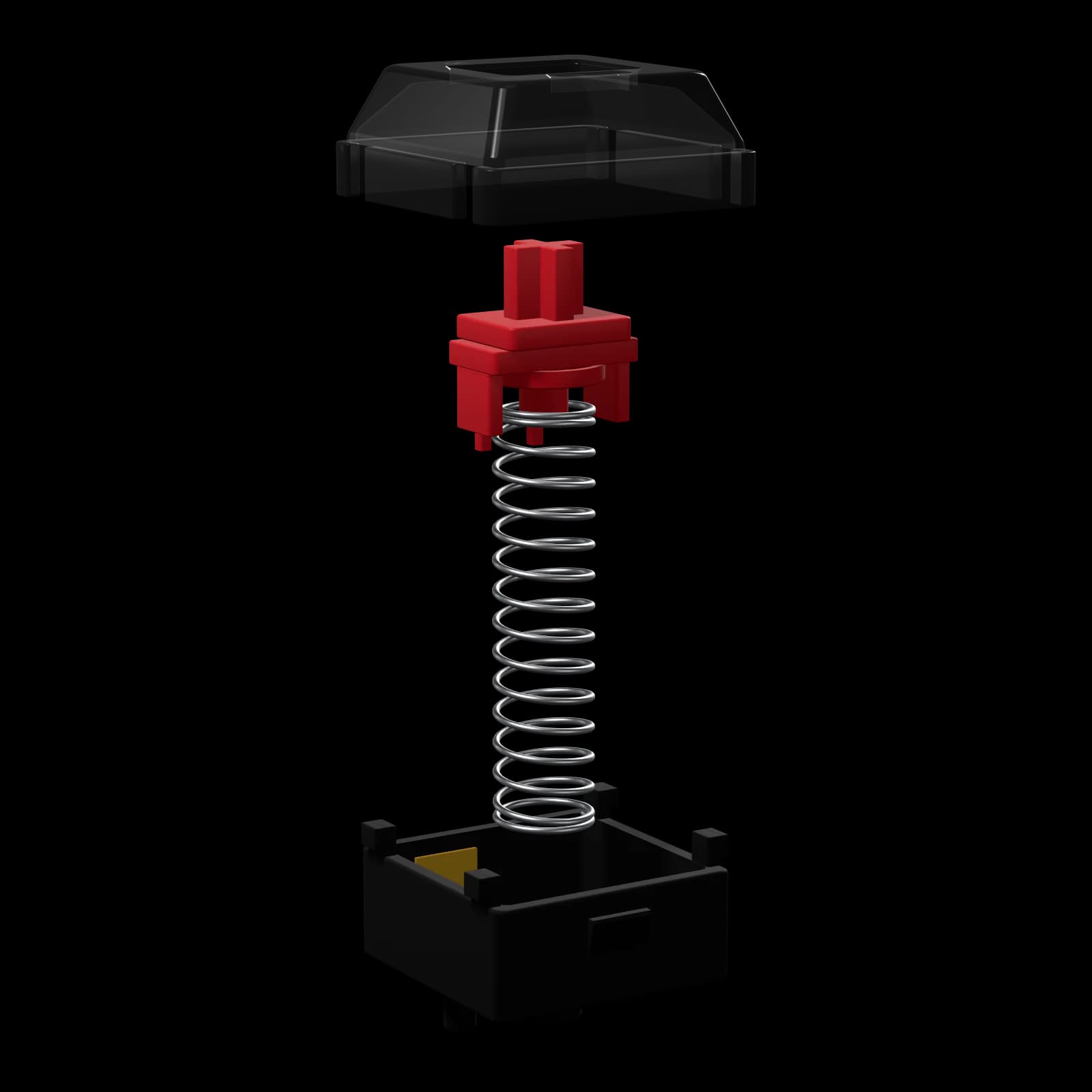
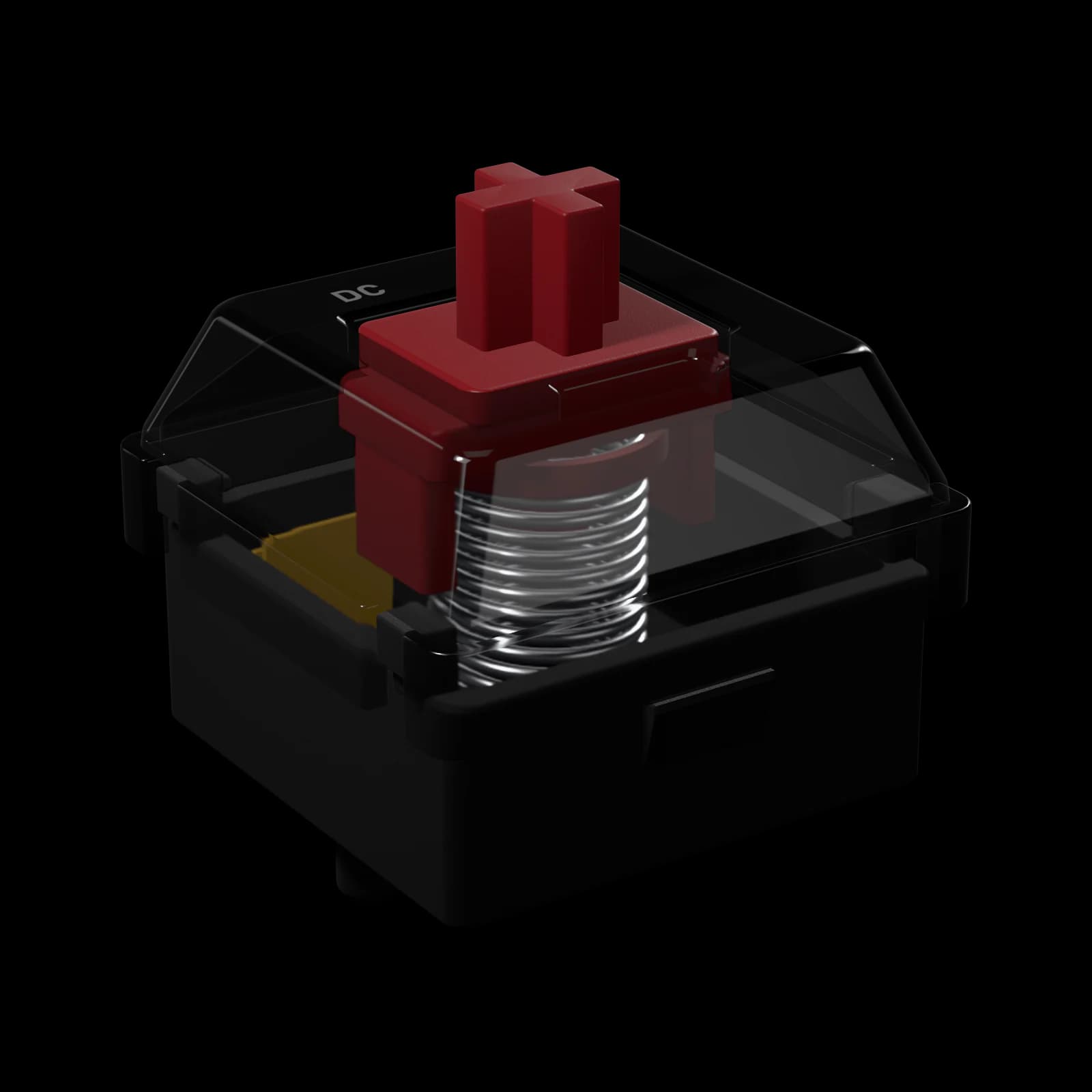
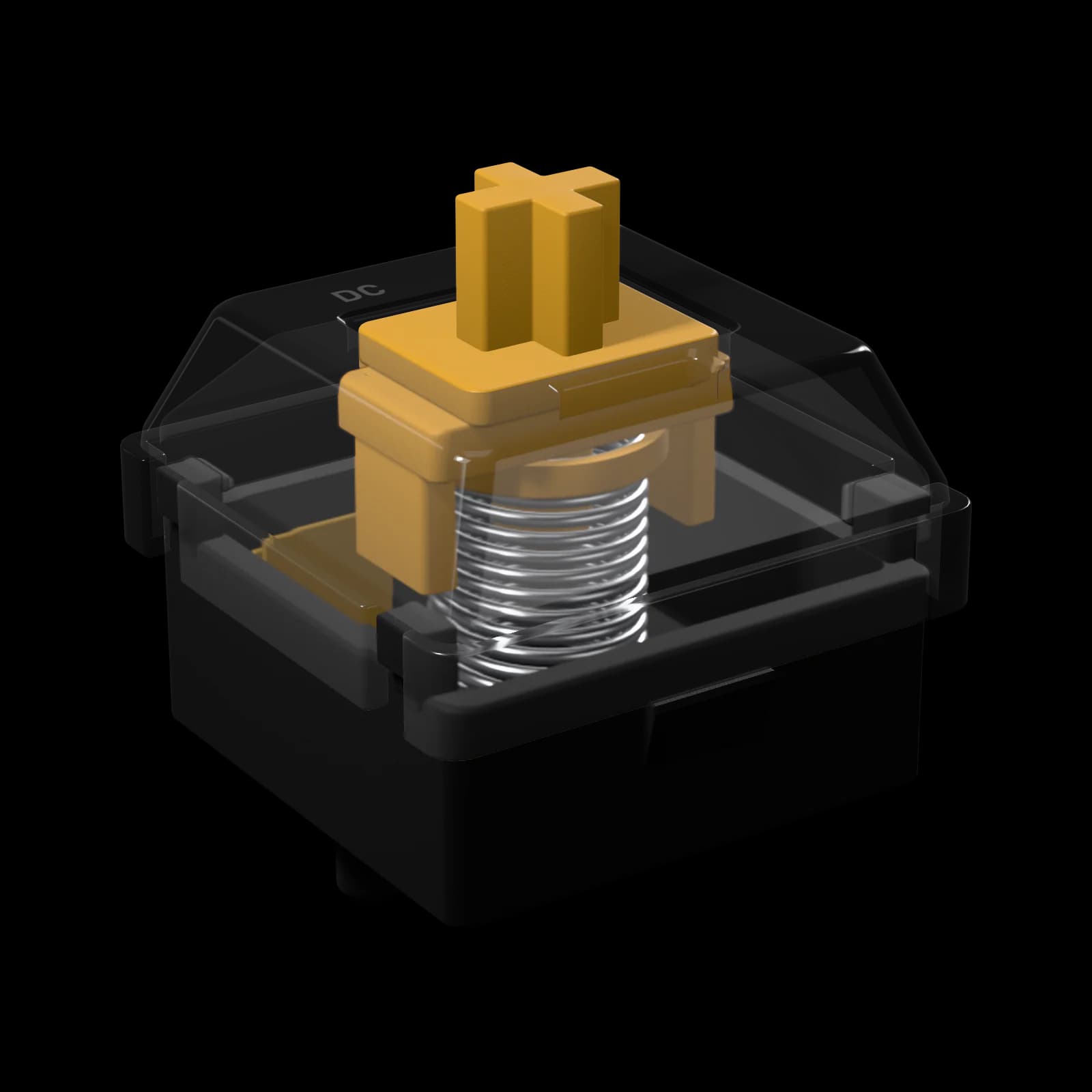
Ember Linear · 45 gf · pulled apart

Ember Linear — exploded view of the housings, stem and spring
top housing
PC, clear
stem
POM
spring
22 mm single-stage
bottom housing
nylon · 5-pin

0-01catalogue

Every switch we make(18)

Filter by feel, fit, force and sound. Priced by the pack: larger packs bring the price per switch down to as little as $0.35.

3 of 18 products

sort
  • 0-07mx switch

    Crest Tactile

    Tall, sharp bump at the very top of the press.

    Bestseller
    Tactile
    force
    45 gf
    travel
    4.0 mm
    sound
    Poppy

    POM stem

    from$6
    $0.41/switch in 110s

    In stock

  • 0-08mx switch

    Ridge Tactile

    Rounded 55 gf bump. A tactile you can game on.

    Tactile
    force
    45 gf
    travel
    4.0 mm
    sound
    Thocky

    POM stem

    from$5
    $0.35/switch in 110s

    In stock

  • 0-09mx switch

    Summit Tactile

    Heavy 78 gf bump. Maximum feedback.

    Tactile
    force
    60 gf
    travel
    3.8 mm
    sound
    Thocky

    POM stem

    from$7
    $0.50/switch in 110s

    In stock

0-02types

Linear, tactile or clicky?(6)

What each kind of switch feels and sounds like, who it suits, and the force curve of one of ours: force over travel, the ring where the key registers.

  1. 0-01Linear

    6 switches
    0 mmtravel4.0 mm
    Ember Linear: registers at 2.0 mm with 45 gf.

    Linear

    Straight down and back up with no bump — the smoothest, most consistent stroke.

    Feel
    The spring’s force rises evenly from the first millimetre to the bottom. Nothing interrupts the stroke, so every press feels the same.
    Sound
    Set almost entirely by the plastics: nylon reads deep, polycarbonate bright and poppy, full POM soft and creamy.
    Inside
    The stem’s legs are straight, so the metal contact leaf slides along them without resistance: the spring is the only thing you feel.
    Good for
    • Fast games and repeated taps
    • Smooth typing if you bottom out anyway
    • Your first custom build
    • Heavy hands, with a heavier spring
    Think twice if
    You want to feel the moment a key registers — a linear gives no signal until it bottoms out.
  2. 0-02Tactile

    3 switches
    0 mmtravel4.0 mm
    Crest Tactile: 67 gf bump at 0.4 mm, registers at 2.0 mm with 45 gf.

    Tactile

    A bump partway down tells your finger the key is about to register.

    Feel
    Resistance climbs to a peak at the bump, then drops away, and your finger’s momentum carries the press through actuation. A tall bump near the top feels sharp; a lower, rounded one feels smooth.
    Sound
    No click — the bump is felt, not heard. The housing plastics set the tone, as on a linear.
    Inside
    A bump shaped into the stem’s legs has to push past the metal contact leaf. Its height sets how strong the bump feels, its position how early.
    Good for
    • Long typing sessions
    • Light typists who stop before bottoming out
    • Mixed typing and gaming
    • Anyone who wants each press confirmed
    Think twice if
    You mostly play games built on rapid repeated taps — the bump adds effort to every press.
  3. 0-03Clicky

    2 switches
    0 mmtravel4.0 mm
    Spark Clicky: 60 gf click at 1.6 mm, registers at 2.0 mm with 50 gf.

    Clicky

    A bump plus an audible click right before the key registers.

    Feel
    A snappy, well-defined bump. The click lands at the same point on every press, so you hear each keystroke go through.
    Sound
    Loud and high-pitched — satisfying on your own, obvious to everyone else in the room and on an open microphone.
    Inside
    Our clicky switches use a click bar: a thin steel bar in the housing that the stem snaps past. It is crisper and more consistent than the plastic click jacket of a classic blue switch.
    Good for
    • Typists who love feedback
    • A board used on its own
    • Learning a lighter touch: the click tells you when you can stop
    Think twice if
    You share a room, stream or take calls with an open mic, or type at night.
  4. 0-04Silent linear

    1 switch
    0 mmtravel3.7 mm
    Hush Silent Linear: registers at 1.9 mm with 45 gf.

    Silent linear

    A linear with dampeners at both ends of the stroke — soft and near-silent.

    Feel
    Smooth like a linear, with a cushioned bottom-out and a soft return. The dampeners take a few tenths of a millimetre off the travel.
    Sound
    A muted thud — no clack at the bottom, no tick on the way back up.
    Inside
    Soft dampeners on the stem cushion the two loudest moments of a press: hitting the bottom and springing back to the top.
    Good for
    • Offices and shared spaces
    • Late-night gaming
    • Calls, streams and recording
    Think twice if
    You want a crisp, hard bottom-out — dampeners trade some sharpness for quiet.
  5. 0-05Silent tactile

    1 switch
    0 mmtravel3.6 mm
    Mute Silent Tactile: 62 gf bump at 0.8 mm, registers at 1.9 mm with 50 gf.

    Silent tactile

    The bump of a tactile with the quiet of a silent switch.

    Feel
    A rounded bump, a cushioned bottom-out and a soft return.
    Sound
    Very quiet — a soft tap at most.
    Inside
    The dampeners of a silent linear on a stem with tactile legs.
    Good for
    • Typing in shared spaces
    • Feedback without noise
    • Open-plan offices and late nights
    Think twice if
    You want the sharpest possible bump — the dampening rounds it off slightly.
  6. 0-06Magnetic (HE)

    3 switches
    0 mmtravel4.0 mm
    Magnet HE Linear: registers at 2.0 mm with 45 gf (adjustable 0.1–4 mm).

    Magnetic (HE)

    A magnet and a sensor instead of metal contacts — the actuation point is yours to set.

    Feel
    Linear, with an actuation point you set from 0.1 mm to 4.0 mm and Rapid Trigger on supported boards.
    Sound
    Like a linear of the same plastics — the sensor itself is silent.
    Inside
    A magnet in the stem moves toward a Hall-effect sensor on the board, which reads the distance continuously. Actuation and reset become settings instead of a fixed metal contact — and with no contacts, there is nothing to wear or bounce.
    Good for
    • Competitive shooters
    • Counter-strafing with Rapid Trigger
    • Players who tune every key
    Think twice if
    Your keyboard is not a Hall-effect board — magnetic switches only work in HE keyboards, and MX switches don’t work in them.

0-03compare

Side by side(16)

Every figure from the spec sheet of each switch. Swipe sideways on a phone — the names stay put.

Specifications of all 16 switches, grouped by type. Forces in gram-force, distances in millimetres; the price of one switch is in the largest pack.
SwitchCurveforce / travelActuationgfBump / clickgf at mmBottom-outgfPre-travelmmTotal travelmmSoundHousingtop / bottomStemPinsLubedPer switchlargest pack
/ Linear (6)
Ember LinearMX-style45 gf—55 gf2.0 mm4.0 mmPoppyPC clear / nylonPOM5-pinYes$0.41 · 110
Onyx LinearMX-style55 gf—65 gf2.0 mm4.0 mmThockynylon / nylonPOM5-pinYes$0.41 · 110
Ghost LinearMX-style40 gf—50 gf1.8 mm3.5 mmClackyPC clear / PC clearPOMlong pole3-pinYes$0.35 · 110
Pearl LinearMX-style50 gf—62 gf2.0 mm3.8 mmCreamyPOM / POMPOM5-pinYes$0.50 · 110
Silk SpeedMX-style35 gf—45 gf1.2 mm3.4 mmClackyPC clear / PCUHMWPE5-pinYes$0.41 · 110
Ink Heavy LinearMX-style67 gf—80 gf2.0 mm4.0 mmThockyPC / nylonPOM5-pinYes$0.50 · 110
/ Tactile (3)
Crest TactileMX-style45 gf67 gf · 0.4 mm65 gf2.0 mm4.0 mmPoppyPC clear / nylonPOM5-pinYes$0.41 · 110
Ridge TactileMX-style45 gf55 gf · 1.0 mm58 gf2.0 mm4.0 mmThockyPC clear / nylonPOM5-pinYes$0.35 · 110
Summit TactileMX-style60 gf78 gf · 0.6 mm72 gf2.0 mm3.8 mmThockyPC / nylonPOM5-pinYes$0.50 · 110
/ Clicky (2)
Spark ClickyMX-style50 gf60 gf · 1.6 mm60 gf2.0 mm4.0 mmClickyPC clear / PCPOM3-pinNo$0.35 · 110
Flint ClickyMX-style55 gf70 gf · 1.6 mm68 gf2.0 mm4.0 mmClickyPC clear / PCPOM5-pinNo$0.41 · 110
/ Silent linear (1)
Hush Silent LinearMX-style45 gf—55 gf1.9 mm3.7 mmMutedPC / nylonPOM5-pinYes$0.41 · 110
/ Silent tactile (1)
Mute Silent TactileMX-style50 gf62 gf · 0.8 mm60 gf1.9 mm3.6 mmMutedPC / nylonPOM5-pinYes$0.50 · 110
/ Magnetic (HE) (3)
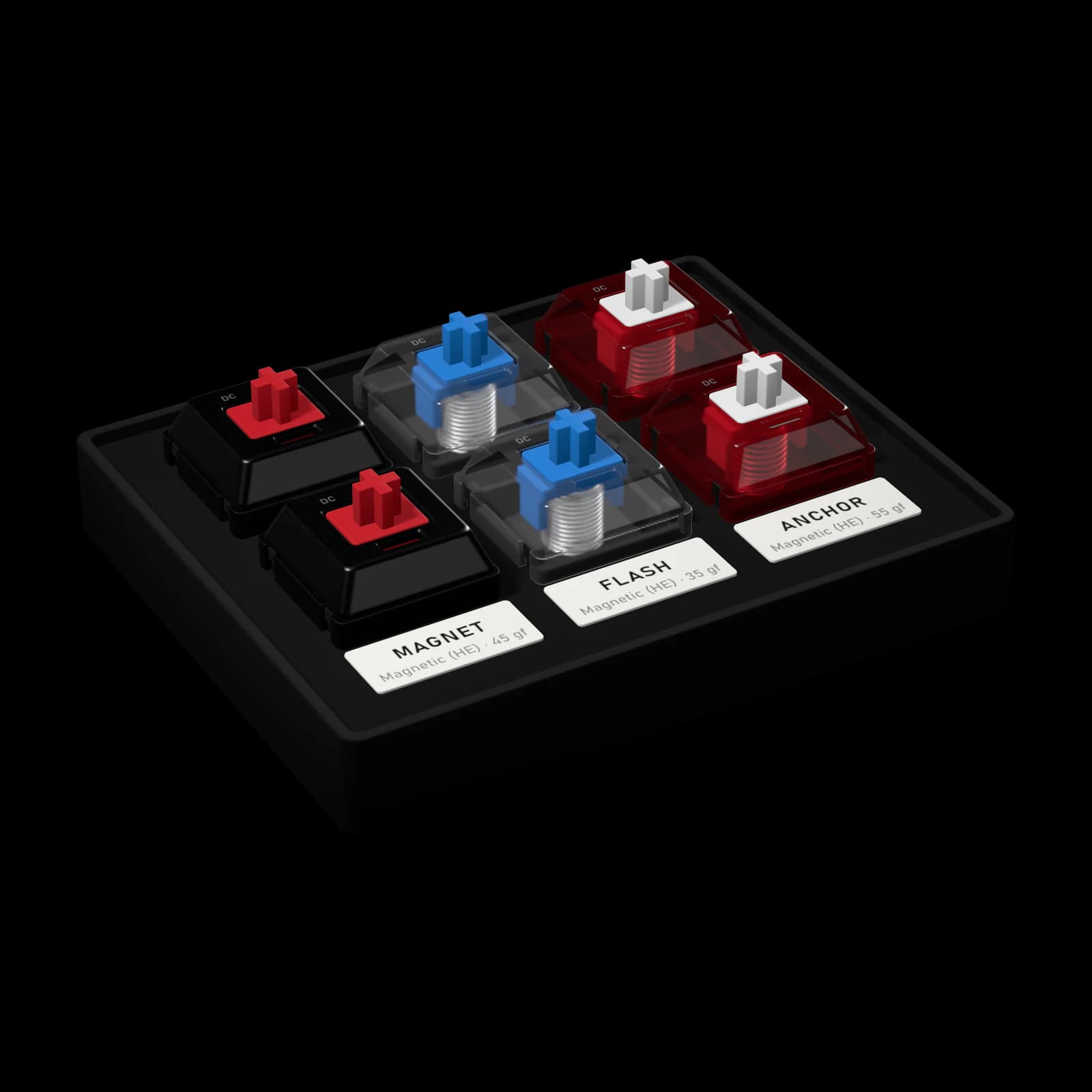
Magnet HE LinearMagnetic HE45 gf—55 gf0.1–4 mmadjustable4.0 mmPoppyPC / PA12POMmagneticYes$0.59 · 90
Flash HE LinearMagnetic HE35 gf—45 gf0.1–4 mmadjustable4.0 mmClackyPC clear / PA12POMmagneticYes$0.59 · 90
Anchor HE LinearMagnetic HE55 gf—65 gf0.1–4 mmadjustable4.0 mmThockyPC clear / PA12POMmagneticYes$0.59 · 90

0-04how many

How many do I need?

One switch per key. Pick your keyboard and a switch; we work out the cheapest packs that cover it.

Your keyboard
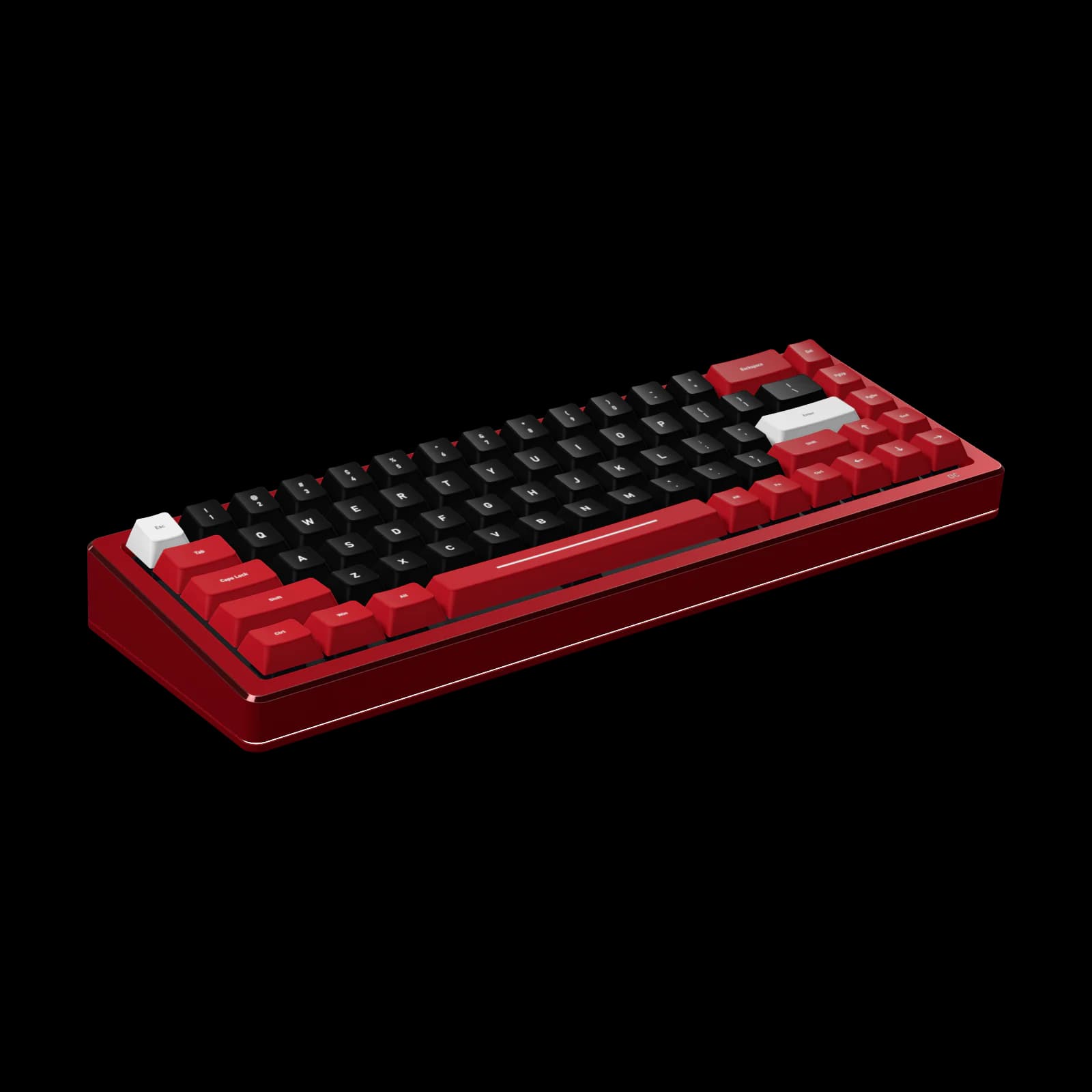
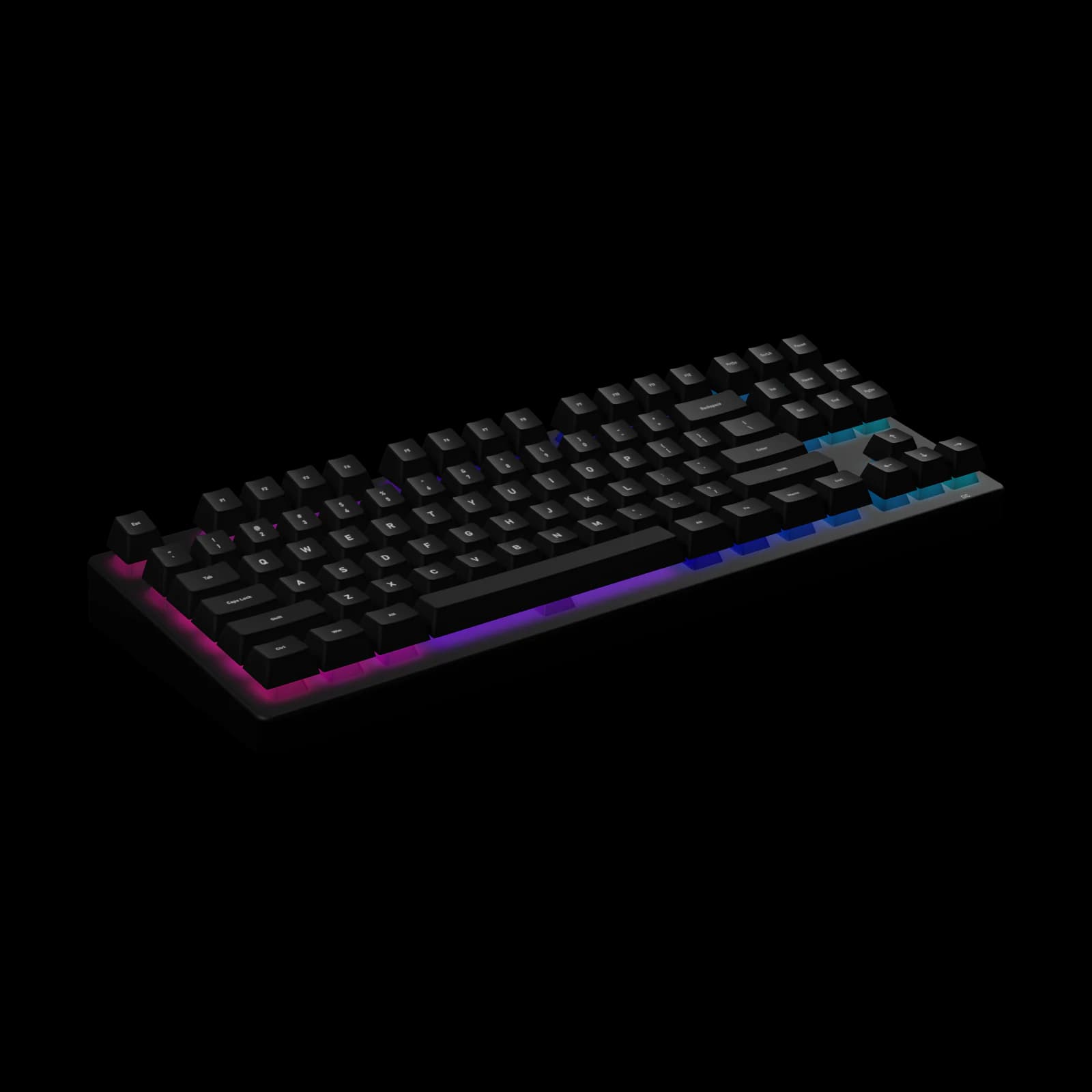
Halo 65 HE68 keys · magneticStrata 7582 keys · MXFlux TKL87 keys · MX

Another keyboard, by layout

60%6165%6875%84TKL87Full-size104

How many switches

one per key

every key of Strata 75

The switch

13 fit mx-style hot-swap sockets

/ Linear

Ember LinearOnyx LinearGhost LinearPearl LinearSilk SpeedInk Heavy Linear

/ Tactile

Crest TactileRidge TactileSummit Tactile

/ Clicky

Spark ClickyFlint Clicky

/ Silent linear

Hush Silent Linear

/ Silent tactile

Mute Silent Tactile

Ember Linear1×90 · 90 switches

$38

You need

Ember Linear

Linear · 45 gf · Poppy · 5-pin

  • 1 × pack of 90$38
Switches
90 · 8 spare
Per switch
$0.42
Total$38
  • Fits Strata 75 — 3- and 5-pin MX-style sockets.

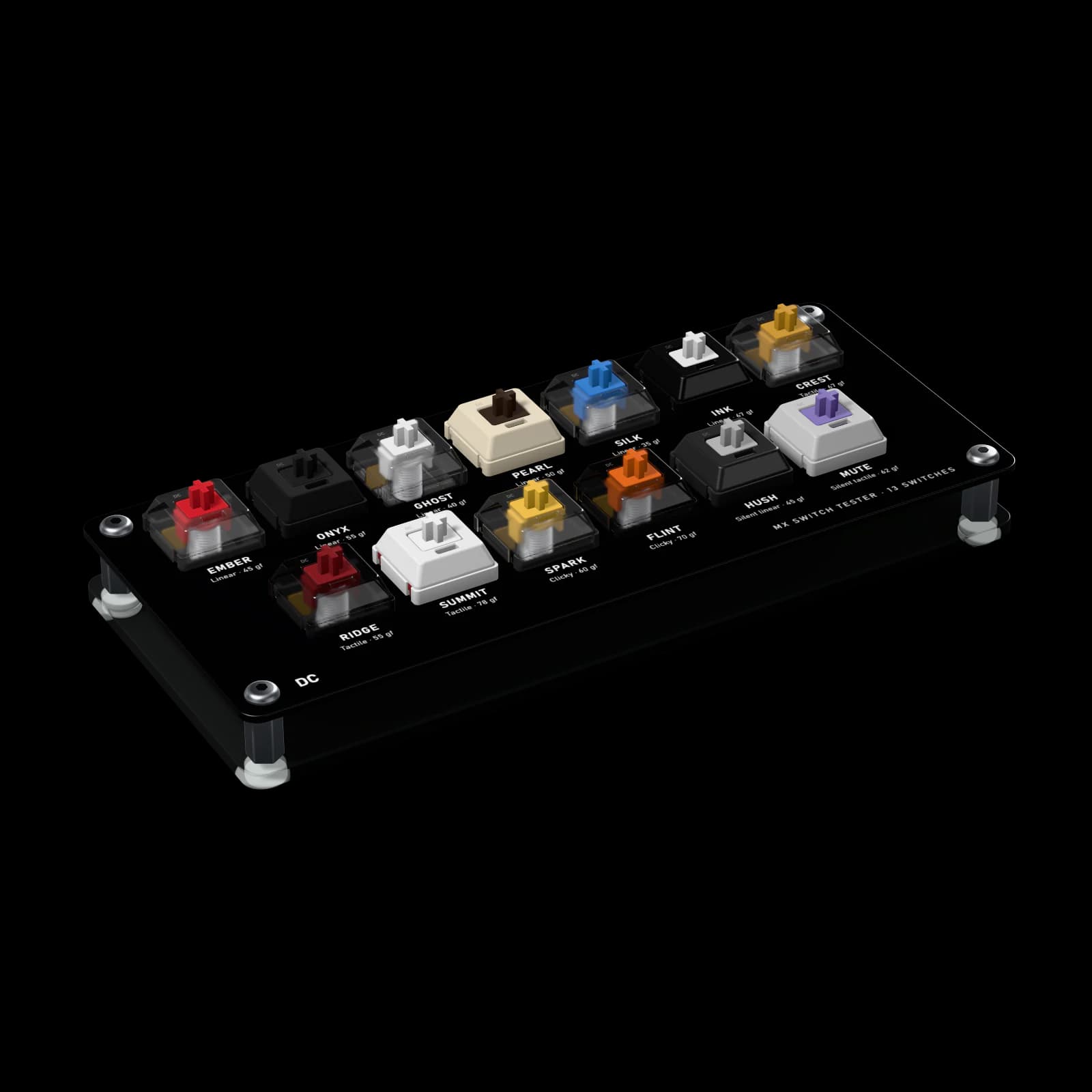
Not sure yet? MX Switch Tester — all 13 for $9.

0-05testers

Try them first(2)

Real switches, not samples: press them side by side, or put them in your own board, before you fill it.

0-06what fits

Will it fit my keyboard?

Two families of switch, two kinds of socket. Every switch page says which one it is.

MX-style sockets

MX-style hot-swap

Sockets that let you pull and insert switches without soldering. Strata 75 and Flux TKL have MX-style hot-swap sockets; Halo 65 HE has magnetic (HE) hot-swap sockets — each takes only its own kind of switch.

5-pin switches have two extra thin plastic legs that steady them in boards without a plate. Hot-swap boards with 5-pin holes take both kinds; for a 3-pin-only board, clip the two plastic legs off with flush cutters — never the metal pins.

show mx-style switches

Magnetic HE sockets

Magnetic Hall-effect

Magnetic switches read by a sensor. The board sees the key position continuously, which enables adjustable actuation and Rapid Trigger.

We design and test them for Halo 65 HE. Magnetic switches aren’t standardised the way MX switches are: magnet strength, polarity and stem height differ between brands, and a board calibrated for one switch can misread another’s travel even when it fits the socket. Before fitting ours to another brand’s HE keyboard, check that board’s list of supported switches.

show magnetic he switches

0-07questions

Before you buy(12)

Fit, pins, packs, returns and sound — the questions people ask us most.

One per key. A 60% board takes about 61, a 65% about 68, a 75% about 84, a TKL about 87 and a full-size about 104. Our own boards: Halo 65 HE takes 68, Strata 75 takes 82 and Flux TKL takes 87. The 70-switch pack fills a 60% or 65% board, the 90-switch pack a 75% or TKL and the 110-switch pack a full-size, with a few left over as spares. The 70-switch magnetic pack covers Halo 65 HE.

0-08glossary

Words worth knowing(28)

The terms on our spec sheets and in switch reviews, in plain words.
Actuation point
The depth at which a key registers. Most MX switches actuate about 2 mm down, speed switches sooner; on magnetic switches you set it yourself.
Actuation force
How hard you press before the key registers, in gram-force (gf). Around 35–45 gf is light, 50–55 gf medium, 60 gf and up heavy.
Pre-travel
How far the key moves before it registers. Shorter pre-travel means faster input — and a key that is easier to press by accident.
Total travel
How far the key moves until it bottoms out. 4 mm is standard; long poles, dampeners and speed stems shorten it.
Bottom-out force
The force at the very end of the stroke. The gap between actuation and bottom-out force tells you how much the spring firms up under a heavy press.
Tactile peak
The top of the bump on a tactile or clicky switch: the force it takes to get past it, and how far down it sits. A peak near the top feels sharp; one further down feels rounded.
Spring weight
The number a spring is sold by, such as a “62 g spring”. Makers use it for the bottom-out force or, less often, the actuation force, so two springs sold as 62 g can feel different. Our spec tables give both measured forces instead.
Long spring
A spring longer than the classic 15 mm or so, usually 20–22 mm. It sits more compressed at rest, so the press starts firmer and the force climbs more gently: a more even stroke for the same bottom-out weight.
Two-stage spring
A spring wound with two different coil spacings. The softer section compresses first and keeps the press light; near the bottom the firmer section takes over, catching heavy presses and pushing the key back up faster.
Spring ping
A metallic ring from the spring after a press, loudest on unlubed switches. A thin coat of lube on the spring removes it.
Factory lubed
Lubricated at the factory with a thin, even coat for a smoother stroke and no spring ping — nothing to do before you install the switches. Clicky switches are left dry so the click stays sharp.
Stem
The moving part with the cross on top that your keycap sits on. Its legs, pole and material decide much of how a switch feels.
Stem wobble
Side-to-side play of the stem in the top housing. Every MX switch has a little; tight tolerances keep it low. You notice it most as a rattle on tall keycaps.
Long pole
A stem with a longer centre pole that hits the bottom housing early: a shorter stroke and a sharper, louder, clackier bottom-out.
Dampeners
Soft pads on the stem that cushion the bottom-out, the return, or both. They make a switch near-silent and shorten its travel by a few tenths of a millimetre.
Click bar vs click jacket
Two ways to make a click. A click jacket is a plastic sleeve around the stem that snaps down partway through the press — the classic blue switch. A click bar is a thin steel bar in the housing that the stem snaps past: crisper, louder and more consistent. Our clicky switches use click bars.
Polycarbonate (PC)
A hard, rigid housing plastic, usually clear. Sounds bright and higher-pitched, and lets RGB light up the whole switch.
Nylon
A softer housing plastic than PC, usually opaque. It absorbs high frequencies, so switches with nylon housings sound deeper and fuller — the classic “thock”.
POM
Polyoxymethylene, a naturally slippery plastic. The usual material for smooth stems; as a housing it gives a soft, creamy sound. Full-POM switches get a little smoother still over the first weeks of use.
UHMWPE
Ultra-high-molecular-weight polyethylene, slipperier than POM. Used for stems where the lowest friction matters; it sounds slightly muted.
PA12
Polyamide 12, a nylon that absorbs less moisture than standard nylon, so parts keep their exact size in humid rooms. Sounds deep, like nylon.
Thocky, clacky, poppy, creamy
How switch sound is described. Thocky: deep and rounded. Clacky: bright and sharp. Poppy: a crisp, higher pop at the top and bottom of the press. Creamy: soft, smooth and muted.
Chatter
A faulty switch registering one press as two, or registering on its own. It is a manufacturing defect, not wear, and we replace switches that do it.
3-pin vs 5-pin
5-pin switches have two extra thin plastic legs that steady them in boards without a plate. Hot-swap boards with 5-pin holes take both kinds; for a 3-pin-only board, clip the two plastic legs off with flush cutters — never the metal pins.
Hot-swap
Sockets that let you pull and insert switches without soldering. Strata 75 and Flux TKL have MX-style hot-swap sockets; Halo 65 HE has magnetic (HE) hot-swap sockets — each takes only its own kind of switch.
Switch puller
A small wire tool that squeezes the two clips of a switch through the plate so it comes straight out. Our keyboards and larger switch packs include one.
Hall-effect (HE)
Magnetic switches read by a sensor. The board sees the key position continuously, which enables adjustable actuation and Rapid Trigger.
Rapid Trigger
An HE-board feature: a key resets the moment it starts rising and actuates again the moment it goes back down, instead of at fixed points. Faster repeated taps and counter-strafes.